Drawn.Checked.Ready.
Draw the traffic management plan directly on the map. RoadplanPro checks it for errors and warnings, counts up the equipment, and prepares the PDF for your application.
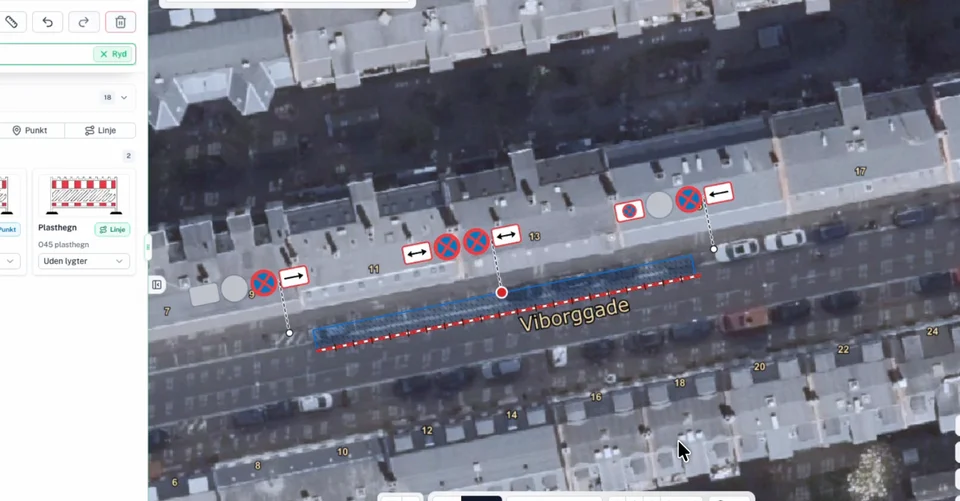
Recorded in RoadplanPro · Viborggade
Recorded in RoadplanPro · Danish interface
See the tools in use.
Follow a traffic management plan for sidewalk works, or watch the short clips of individual tools.
A traffic management plan from start to finish.
Watch a plan for sidewalk works being drawn in RoadplanPro.
We are also recording the complete walkthrough from creating a project and plan to submitting the application to the municipality.
Get notified when the full demo is readyThe workflow
From address to finished plan.
The map, the signs, the checks, the material list, and the export belong to the same plan. Pick a step to see it in the product.
Step 1 of 5
Draw directly on the road.
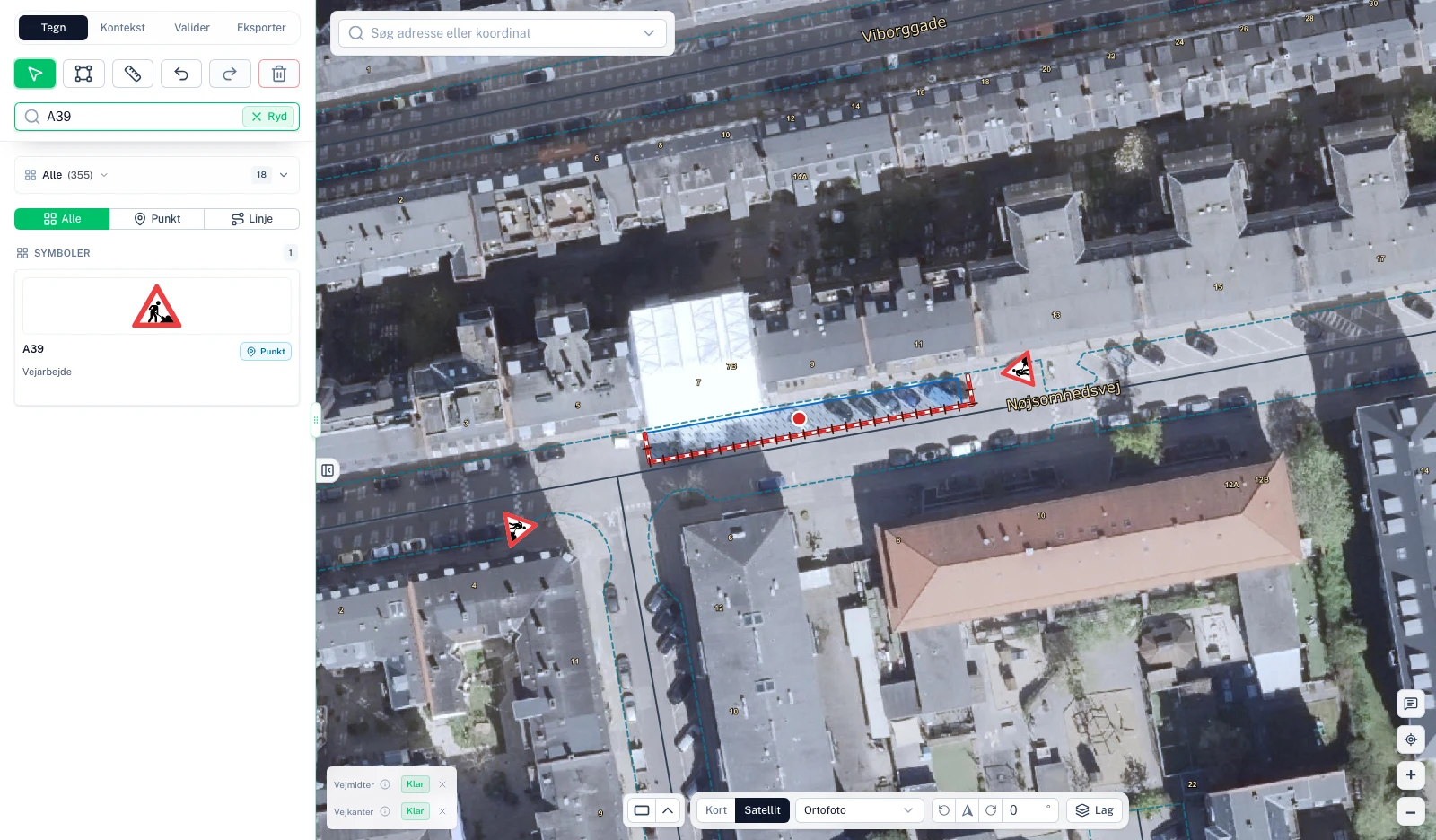
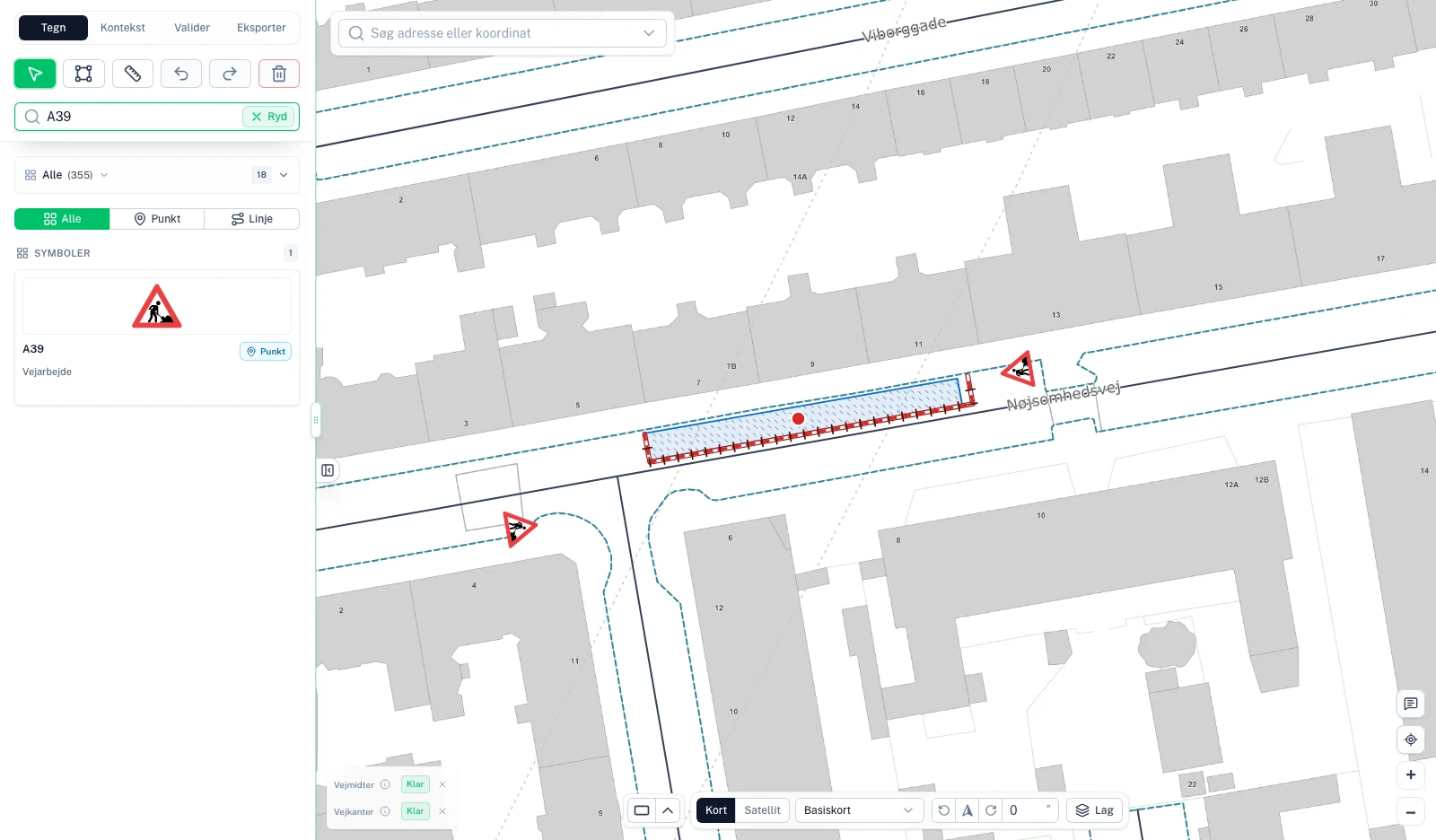
Search for the address and draw the work area, signs, and barriers over satellite imagery or the base map. Switch views as you work — the plan stays in place.
The difference The plan lives on the map, not on a screenshot of it.
What you see in the image
- Work area with plastic fencing
- Warning sign placed by the road
- Searchable sign catalogue
- Switch between map and satellite
Municipal applications
From plan to municipal application.
You describe the work, AI fills in the application, and the browser extension transfers it to the municipality’s form. Planning, checks, and export work in any municipality.
Describe the work – let AI fill in the fields.
Tell us in your own words what you will do, how, and when. AI fills in the relevant fields across the application, and anything that needs clarifying is flagged.
- Fields filled in by AI are marked so you can check them
- Your own corrections are kept when you update
- You review the whole application before it is prepared
How it works
- You describe the work, and AI fills in the application in RoadplanPro
- The browser extension fills in the municipality’s form
- You review and submit it yourself
Municipalities and permit types
Application filling assistance in 98 municipalities. See which permit types are included.
| Municipality | Excavation | Equipment and road use |
|---|---|---|
| Københavns Kommune | Excavation permit Available | Temporary use of public roads Available |
| Albertslund Kommune | Excavation permit In testing | Equipment placement permit In testing |
| Allerød Kommune | Excavation permit In testing | Planned |
| Assens Kommune | Excavation permit In testing | Equipment placement permit In testing |
| Ballerup Kommune | Excavation permit In testing | Equipment placement permit In testing |
| Billund Kommune | Excavation permit In testing | Planned |
| Bornholms Regionskommune | Excavation permit In testing | Equipment placement permit In testing |
| Brøndby Kommune | Excavation permit In testing | Equipment placement permit In testing |
In testing: Filling assistance is implemented, while the full workflow and local requirements are still being tested. You check the form and submit it yourself. Planned means filling assistance for this permit type is on the roadmap but is not yet available.
Testing covers assistance with filling in the form. Automatic collection of municipality replies has not yet been confirmed for the municipalities in testing.
Need another municipality? Write to usPlanassistent
Coming soonDescribe the work. Review the proposal.
Planassistent is our upcoming help for getting from a blank map to a first draft. You draw the work area and describe the job. Planassistent uses road data for the location, asks about what it cannot determine, and places a proposal on the map.
The proposal is a draft. You decide what becomes the plan.
Work area drawn
Road data for the location is fetched automatically.
Good to know
Before we show you around.
How do we get started?
Book a demo. We’ll show you how to draw a plan, check it, and prepare the documents for the next step. Bring a real job if you have one in mind.
How much does RoadplanPro cost?
Pricing depends on your team. In the demo, we go through your needs and the price for you.
Do we need to install anything?
RoadplanPro runs in the browser. For the municipal application workflow, you also use an extension that fills in the municipality’s form. It works in Chrome and other browsers that support Chrome extensions.
Which municipalities does the application workflow support?
Excavation form filling is implemented for the municipalities in the overview. Many also include equipment placement permits; Copenhagen supports temporary use of public roads. See the list for permit types and the status for your municipality.
See municipalities and permit typesCan we use RoadplanPro if our municipality is not on the list?
Yes. Drawing, checks, the material list, and PDF export work in any municipality. Only the help with filling in the municipality’s application requires the municipality to be supported.
Can we use Planassistent now?
Planassistent is in development and is not yet part of the available product. The upcoming feature creates a proposal that you review and adjust yourself.
Next step
Bring your next job.
We go through the job in RoadplanPro with you — from address and signs to checks, material list, and PDF.
Book a demoA personal walkthrough with time for your questions.